Climbing coaching software: what it actually has to do
Why general personal-training platforms fall short for climbing: prescription modes, finger metrics, injuries and sends. A checklist to run before you pay.

There is a moment that repeats in almost every climbing coach who moves up to a paid tool. They have picked a serious platform - athlete app, video library, messaging, the works. They have spent a week loading plans in. And on the exercise “Hangs on a 20 mm edge” they end up staring at two fields that do not help them: sets and reps.
What they do next is type it into the notes field: “5 sets of 10s at 85%, 3 min rest, half-crimp, 4 fingers”. It works, in the sense that the athlete can read it. But from that point on the system stops working: there is no timer, nothing structured comes back, and at the end of the block there is no way to compare what was prescribed against what was executed.
This article is about why that happens, what a tool has to be able to represent so it stops happening, and what to ask before you commit to an annual subscription.
The underlying mismatch
Platforms built for personal trainers - TrueCoach, Trainerize, TrainHeroic and the rest of that category - rest on one very specific model: exercise, sets, reps, weight. It is a good model. It covers 90% of the weight room and it has worked for twenty years.
The problem is that a climber’s load does not fit inside it. What determines the stimulus on a finger is not the kilos: it is the grip type, the edge depth, the time under tension and the number of fingers. Two athletes with the same “5x10s at 85%” on paper are getting different stimuli if one half-crimps and the other drags, or if one is on 20 mm and the other on 18.
And that is just hangs. A 4x4 circuit, a set of attempts on a limit boulder and twenty minutes of continuous easy volume are three things that do not even share a unit with each other: one is measured in laps, one in outcome per attempt, and one in minutes. Forcing all three into the same “sets x reps” box is not simplification, it is throwing away the variable that defines each one.
When the tool cannot represent that, the coach does not stop doing it - they do it in free text. And free text is information that goes in and never comes back out.
What a general-purpose platform genuinely does well
Worth being fair here, because the opposite mistake costs money too: switching tools expecting the new one to solve things the old one already handled.
A mature personal-training platform usually has client onboarding and billing sorted, an athlete app with push notifications, a video library that actually plays properly, chat, and gym work - which in climbing is half the plan and is not optional. None of that is trivial to build.
The problem is not that they do their job badly. It is that their data model has no room for what is specific to climbing, and no settings screen fixes that: either the tool models hangs, attempts and sends, or it does not.
The seven ways a climbing exercise gets prescribed
This is the part almost no general-purpose platform models, and it is the part that decides whether you will be working inside the tool or alongside it.
| Mode | Example | What the system has to understand |
|---|---|---|
| Sets and reps | 4x6 weighted pull-ups with 8 kg / 18 lb | A set counter. The only one every tool covers |
| Timed sets | Hang 5x10s at 85%, 3 min rest | A work timer and a rest timer, not a counter |
| Repeaters | 7s/3s x 6 reps, 3 sets | Two different rests and nested cycles |
| Attempts | 5 goes on the boulder, full rest | No reps: you record the outcome of each attempt |
| Circuit laps | 4x4 on the steep wall, 5 stations | Blocks inside blocks, each with its own rest |
| Continuous work | 20 min of volume on big holds | No internal structure, only duration |
| Sets by distance | 4 sets of 30 moves at route pace | A unit - metres, moves, routes - that does not exist in fitness |
All seven show up in the same week for an intermediate athlete. A tool that only understands the first one forces you to translate the other six into prose.
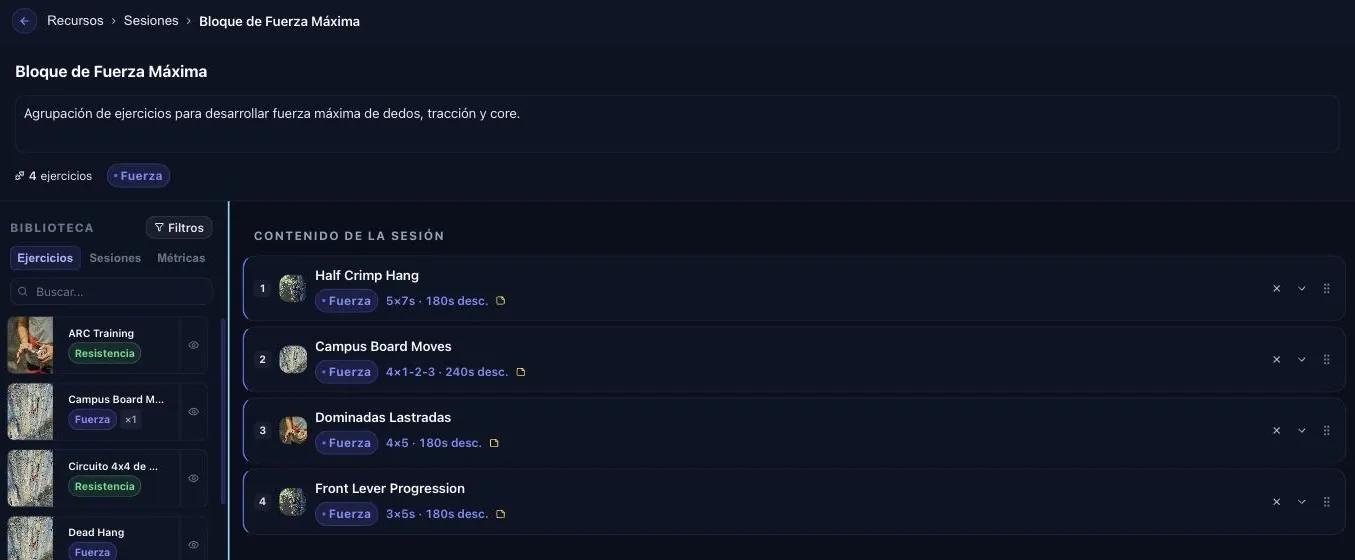
One strength session with three different units: seconds of hanging, a 1-2-3 campus ladder, and pull-up reps. None of the three can be written in another one’s box.
Two consequences that are not obvious until you live them:
- The athlete’s player depends on the mode. A “set completed” button is not the same thing as a 10-second countdown with an audio cue, or an automatic 7/3 cycle repeated six times. If the mode does not exist in the model, the timer cannot exist either.
- The log that comes back depends on the mode. For reps, the useful thing is how many they completed. For attempts, the best result or the average. For continuous work, whether they held the twenty minutes. A single log format for everything returns “done / not done”, which is close to nothing.
One design detail that matters more than it sounds: the mode should be a property of the exercise, not a decision the coach makes every time. A hang is always prescribed in time. A project boulder is always prescribed in attempts. If the tool makes you pick the format on every assignment, it is handing you back a decision that was already made, and multiplying the chances of getting it wrong.
In practice the split is very uneven, and that is what fools people during an evaluation. In a realistic climbing catalogue most exercises really are sets and reps - it is gym work - and the climbing-specific modes are a minority by count. But that minority is exactly where the training that differentiates a climber lives: hangs, repeaters, tests, circuits. Being few does not make them optional; it makes them easy to forget during a demo.
What gets lost when the protocol lives in a notes field
Four things, and none of them is cosmetic:
- The athlete has no timer. A 7s/3s repeater counted in your head while hanging is not the same stimulus. The athlete ends up using their phone stopwatch with the free hand, or rounding.
- Rest gets improvised. It is the variable that most quietly ruins a max-strength block. Three prescribed minutes become ninety seconds when the gym closes in half an hour.
- Nothing structured comes back. If the prescription is text, the log is text too. “Done” does not tell you whether they finished all five sets, or at what RPE.
- The end-of-block review happens from memory. With no recorded execution, comparing this strength mesocycle against the last one is comparing two intentions, not two realities.
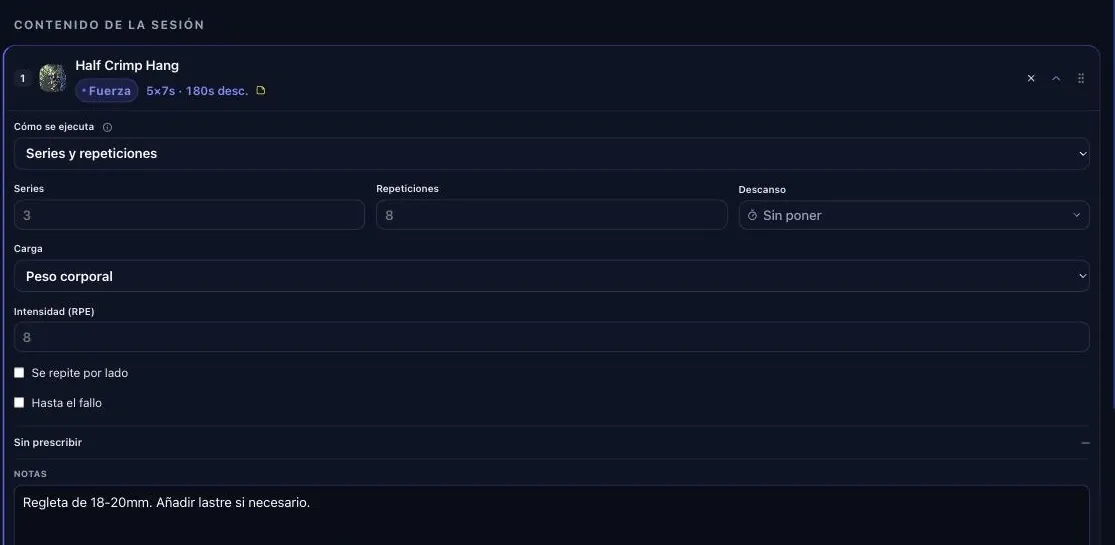
When the execution mode is a field, it decides what the form asks you for and which timer the athlete sees. What still does not fit in any box - here, the edge depth - carries on ending up in Notes: no tool removes free text, what changes is how much stays trapped inside it.
This barely shows with three athletes and becomes the main job with fifteen. It is the same problem that turns up when you are coaching climbers remotely, where the athlete’s log is literally the only information you have.
One requirement almost nobody checks before signing up: that the athlete app works with no signal. A good share of climbing gyms have the board area in a basement. An app that needs a connection to save a set is an app that loses data on exactly the exercise you most wanted to measure.
What has to come back from the athlete
The log is half the system, and it is the half that gets designed worst. Ask for too much and it never gets filled in; ask for a single checkbox and it is useless.
The balance that survives over time is four fields per session, none of them long text:
- Actual completion, set by set. Not “I did the exercise”: how many sets and at what load. That is what lets you see the plan was too ambitious before the athlete quietly abandons it.
- Session RPE, one number from 1 to 10. It is the cheapest signal of accumulated overload that exists, and it only works if you ask for it the same way every time.
- Pain or niggle, yes/no and where. One field, not a questionnaire. If something hurts you follow it up; if not, do not spend the athlete’s attention on it.
- One optional free note, for whatever does not fit in the other three.
Thirty seconds of work for the athlete. And the difference between reviewing fifteen athletes in twenty minutes or in two hours.
What separates a useful log from a decorative one is whether it can be read as a time series. An athlete comment that only exists in a chat thread is a lost data point: it is not anchored to the session, it cannot be filtered, and in three months nobody will find it.
Finger metrics: the number is only worth something with its protocol
Any fitness platform will let you store a 1RM. None of them lets you store what turns a climbing measurement into a comparable series.
The minimum you have to be able to record alongside the number:
- Hand, separately. Asymmetries are among the cleanest signals you will ever get.
- Grip type and edge depth used in that specific measurement. A test on 20 mm and one on 18 are not two points on the same series.
- Bodyweight on the date of the test, so you can normalise.
- The context: week of the mesocycle, hours of rest beforehand, pain if there was any.
And if the dynamometer connects over Bluetooth, the measurement should land by itself. A critical force protocol is 24 cycles of 7s/3s; transcribing that by hand afterwards is the reason most coaches end up not measuring at all. If your dynamometer is a Progressor, that direct capture already exists: how the Tindeq integration works.
There is also a granularity question worth making explicit: does it store the curve or only the peak? With the peak you can answer “is she stronger?”. With the full curve you can also answer “does she last longer?”, which for routes is the relevant question. A tool that discards the curve on save is making an irreversible decision for you about what you will be able to analyse next year.
The underlying criterion: a tool that stores the number but not the protocol is letting you build a history that cannot be interpreted. The specific protocols and how to read them are in finger strength testing with a dynamometer.
Injuries: the generic model does not get there
On a fitness platform, an injury is usually a text field on the client record, or just a tag: “shoulder”. It is enough to remind you not to program overhead press.
Climbing needs quite a bit more, because the decision you make with that information is finer:
- Finger and hand, not a generic body area.
- Which position provokes it: full crimp, two-finger pocket, sloper. That is the first lever you touch, before intensity.
- Active restriction, with a start date and a clearance date.
- Weekly progress, even if it is one line. It is the “same, same, better” series that tells you whether this is going well.
And one thing that separates a useful record from a decorative one: the incident has to be able to constrain the plan. If an athlete has an active crimping restriction and you assign them a crimp block, something has to flag it. With five athletes you remember. With twenty you do not. The full version is in when to cut load on finger injuries.
There is a second use, less obvious and more valuable long term: the incident history is the only place patterns become visible. Three pulleys in two years on the same hand is not bad luck, it is a load progression or a gripping technique problem. That pattern only appears if all three entries are in the same format and can be sorted by date.
Sends and trips to rock
The actual output of a climber’s training does not appear in any fitness app. Grade, style, area, number of attempts, whether it went onsight or worked: that is the output, and without it the history is all inputs.
There is a practical reason too. Weekend climbing is load that almost nobody counts. A flawless Monday-to-Friday plan plus three days of projecting on small holds is not a flawless plan: it is volume nobody is adding up. If trips do not go in the same place as the plan, the weekly load figure is wrong by definition.
And it works the other way round, which is what sustains the relationship with the athlete: when the send is logged next to the block that built it, three months of work has a visible finish line. That is the difference between “we trained” and “this is what the training produced”.
What you pay and what it costs you
Two costs that never appear on the pricing page and decide more than the monthly fee does.
Per-athlete pricing changes the business, not just the invoice. A tool that charges per active athlete forces you to review the list every month: who is actually training, who has been idle for two months. That is not a bad thing - it imposes order - but it is worth knowing whether the model scales with you or penalises you exactly when you grow.
The real cost of entry is the catalogue. Migrating plans is quick; rebuilding your exercise library with your videos and your criteria is what eats the evenings. Ask how many exercises the tool ships with, whether they are editable, and whether you can clone one from the catalogue to make it your own. Starting from an empty list is the most common reason an annual subscription gets abandoned in month two. Here is how the ClimbrLab exercise library handles that.
The checklist to run before you pay
Concrete questions to put to any tool, whichever one it is:
- Can I prescribe a hang in time, with rest, and have the athlete see a timer?
- Do repeaters exist as a structure, or do I have to write them out?
- Can I prescribe attempts without inventing a rep count?
- Is the log that comes back structured, with RPE and set-by-set completion?
- Does it work with no signal and sync afterwards?
- Does it store hand, grip type and edge depth alongside every strength measurement?
- Will the injury history still be readable in six months, and does it affect what I can assign?
- Can I export my data and my videos if I leave?
Number eight is the one most people skip and the one that costs the most. It is also worth knowing what is actually yours before you sign: on several platforms, the exercise library the coach thinks of as “mine” is content licensed from the platform itself, and cannot be taken away. Only the exercises and videos the coach created are portable.
The two-week test
Sales demos show you what the tool does well. To see what it does not do, there is a shortcut: load one real week from your most complicated athlete - the one with an active injury, who goes to rock at weekends, and who does hangboard work.
What two hours of real work reveals and no demo ever will:
- How many clicks it takes to assign a full session, multiplied by the number of athletes you have.
- Whether duplicating next week means touching every field again.
- What happens when the athlete skips a day: does the plan shift, or is the session lost?
- What that week’s log looks like once it is closed. This is where the surprises are: plenty of tools prescribe well and summarise terribly.
Plus a thirty-second check that eliminates candidates: put your phone in airplane mode in the board area and complete a set.
What actually decides it
None of these questions is about features. They are all about the same thing: how much manual work the tool hands back to you.
A general platform does not stop you coaching climbing. What it does is push the climbing-specific part outside the system, into notes fields, spreadsheets and messages. That work does not disappear, it gets scattered, and it grows linearly with the number of athletes. With five it is an annoyance. With twenty it is the bottleneck that decides whether you can take on the twenty-first.
It is exactly the same point where the spreadsheet stops holding up, and for the same reasons: the information exists but it is scattered and nobody cross-references it. Switching tools without solving that is just changing where you write things by hand.
And before you choose anything, be clear about the structure you are going to put inside it: how to plan a climbing season in mesocycles. A good tool speeds up a system that already exists; it does not replace it.
ClimbrLab is climbing coaching software: prescription by execution mode, a timer and a log on the athlete’s phone, dynamometer metrics per hand and grip, injury and send history, all in one dashboard. We are opening early access for coaches.
Keep reading
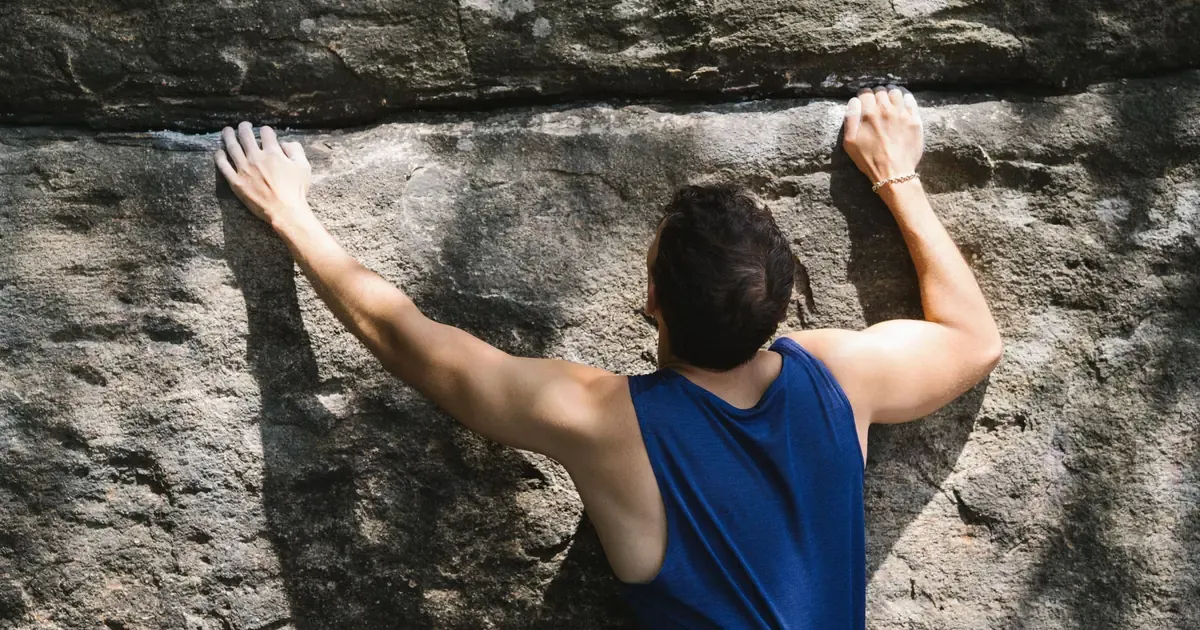
Shoulder and elbow: the climbing injuries you're not watching
The shoulder is now the second most injured area in climbing and almost never gets logged. Why it hides, which sign gives it away and what prevention works.
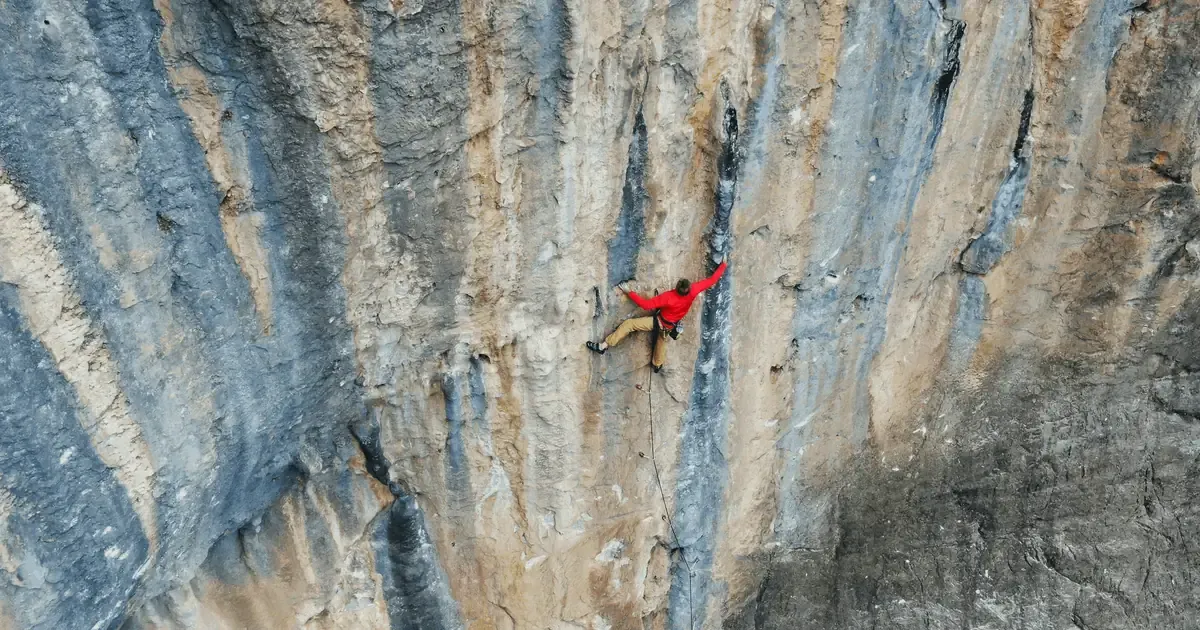
Rock climbing seasons in Europe: how they shape your planning
Siurana, Font, Céüse or Rodellar set your athlete's window better than any calendar. How to build a training year backwards from rock conditions.
Initial assessment of a climber: what to measure on day one
The screening questionnaire before taking on an athlete, which tests make a useful baseline, what not to test yet, and why protocol beats the number.
Do you coach climbing athletes?
ClimbrLab is software for climbing coaches who work with several athletes. You plan sessions and cycles, your athletes log workouts and routes from their app, and you see their finger strength (with Tindeq), training load, injuries and progress in one dashboard, with chat built in. If there are several coaches, Team mode lets you share a library and split athletes between you.
Tell us how you coach and we’ll get back to you with access.