Subscription and pricing: tiers, free trial and billing
What ClimbrLab costs, how the 14-day trial works, VAT, changing or cancelling your plan, the athlete limit and what happens if your account goes read-only.
You pay for ClimbrLab based on how many athletes you coach, and nothing else: every feature is included in every plan. Here you will find the prices, how the free trial works, how VAT is worked out, how to change or cancel your plan and what happens when you run out of seats or out of plan.
Heads-up: the subscription can only be bought and managed on the web, in a browser. In the iOS or Android app you will not see prices or purchase buttons.
Where to find the subscription
It does not have its own entry in the side menu. You get there like this:
- On a computer: Settings → Subscription (“Your plan, included athletes and billing.”).
- In your phone’s browser: the More → Subscription tab.
- From the notices: the See plans or Check payment buttons on the banners and limit notices take you straight there.
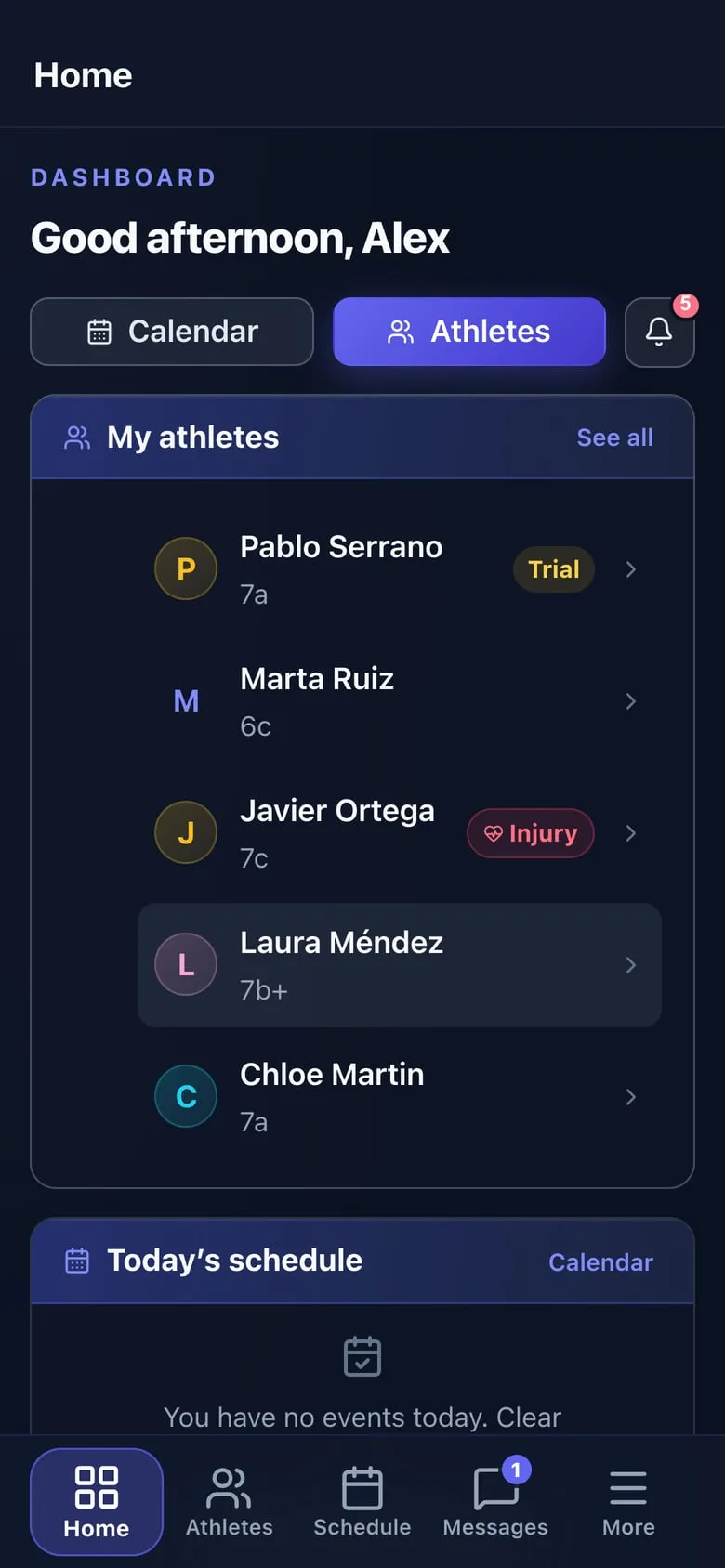
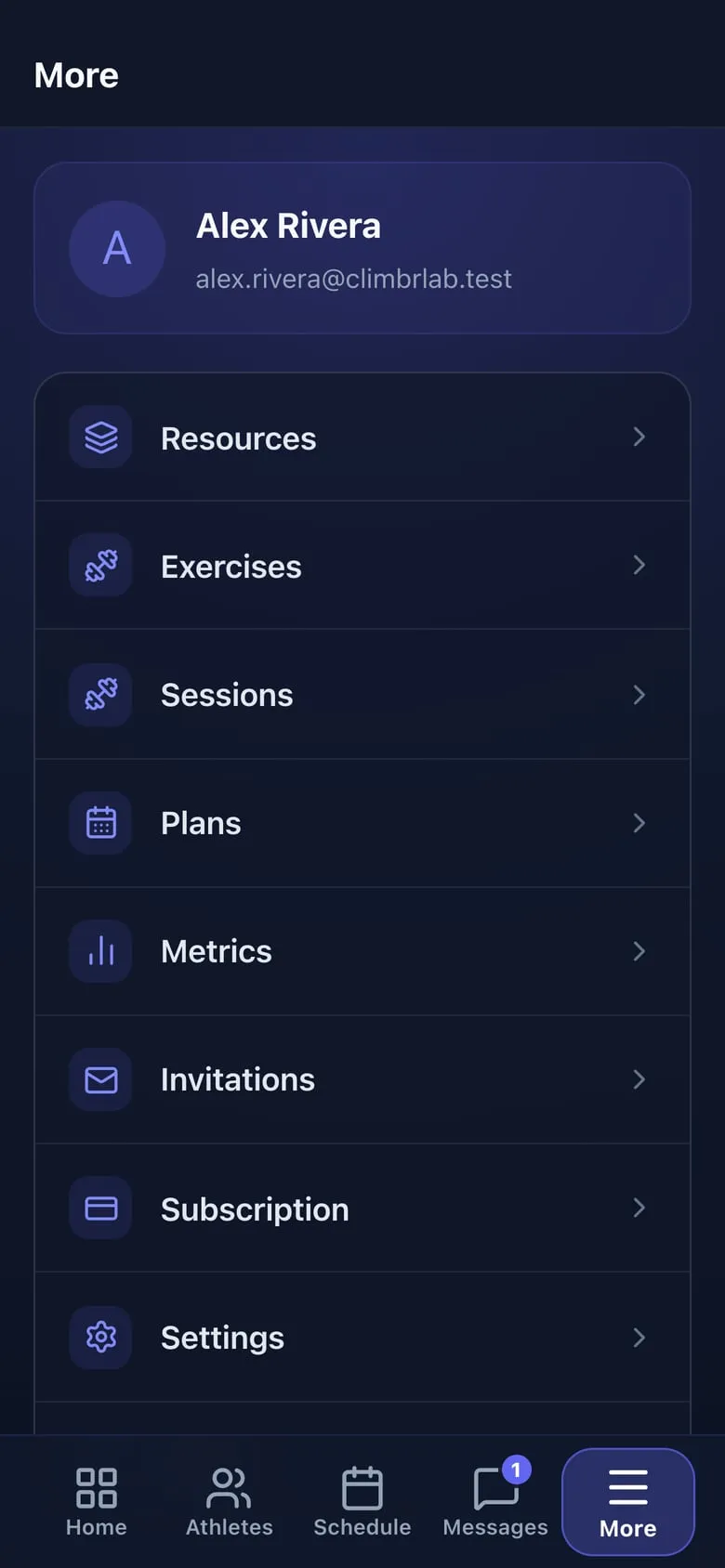
In the iOS or Android app you cannot buy or change a plan: it is an app store rule. At most you will see your account status and the notices, plus the text “You can review your account on the ClimbrLab website.”. For anything else, open climbrlab.com in a browser.
Only the account owner can buy, change or cancel. If you are a coach who is a member of a team, you will see “Managed by the owner” (more in Coaching team).
Prices
One price per athlete tier. Prices for the European Union, in euros and excluding VAT:
| Plan | Athletes included | Monthly | Yearly |
|---|---|---|---|
| Solo | None: to train yourself | €10/month | €100/year |
| 5 athletes | Up to 5 | €19/month | €190/year |
| 10 athletes | Up to 10 | €29/month | €290/year |
| 25 athletes | Up to 25 | €49/month | €490/year |
| 40 athletes | Up to 40 | €64/month | €640/year |
| 60 athletes | Up to 60 | €79/month | €790/year |
| 150 athletes | Up to 150 | €129/month | €1,290/year |
| More than 150 athletes | Custom | Contact us | |
| Teams (add-on) | Unlimited coaches on the same account | +€29/month | +€290/year |
- Outside the EU you pay in US dollars, from a separate price list: Solo, $15/month ($150/year); 5 athletes, $25/month ($250/year); 10 athletes, $39/month ($390/year); 25 athletes, $69/month ($690/year); 40 athletes, $89/month ($890/year); 60 athletes, $109/month ($1,090/year); 150 athletes, $179/month ($1,790/year); Teams, +$39/month (+$390/year). Which list applies depends on the country in your billing details. Within the EU the price is the same for every country.
- Yearly = “2 months free”. You pay for ten months and get twelve. The page shows you what it works out at per month.
- Solo is for people who only train themselves with Train myself: your own profile does not count as an athlete. It does not include Teams. If you start coaching someone, move up to a tier.
- More than 150 athletes: custom pricing for clubs and schools. The Contact us button opens an email to soporte@climbrlab.com.
- Teams is what you need to have more than one coach on the same account. It is added to whichever tier you choose, on the same billing interval (monthly or yearly). We explain it in Coaching team.
Invite other coaches
In Settings → Subscription, the Invite other coaches card has your invite link and your coach code, which works too. Copy it or share it:
- Whoever opens a coach account with your link or code gets a free month.
- Once they start paying, you get a free month too. Up to 12 a year.
- The months come off your next invoices automatically. The card shows who you’ve invited and how many months you’ve earned.
With your link they can open a coach account even when sign-up isn’t open to everyone. The card is only on the web, like the rest of the subscription.
The 14-day free trial
When you create your coach account, a 14-day free trial starts, with no card needed. During the trial:
- You have the limits of the 10-athlete plan.
- Teams is not included, so you cannot add other coaches to your account.
- At the top you will see a banner: “Free trial: {n} days left.”. It turns amber when there are 3 days or fewer left. On the last day it says “Today is the last day of your trial.”.
We also email you, once each:
- About three days before the end: “Your ClimbrLab trial ends in {n} days”.
- When it ends: “Your ClimbrLab trial has ended”.
If the trial ends without you buying a plan, your account switches to read-only mode (we explain it further down). Nothing is deleted.
Buying during the trial
You can buy whenever you like, without waiting for the end. You do not lose the days you have left: you will see “You won’t be charged until your trial ends.” and, once you have bought, “You’re still on trial: the first charge will be on {date}.”.
One exception: if you have less than two days of trial left, the first charge is made at the moment you buy.
Before buying: your billing details
They are required. Until you save them you will see “Fill in your billing details to choose a plan.”. They appear on your invoices and decide the VAT that is applied.
| Field | Required | Notes |
|---|---|---|
| Country | Yes | Spain first, then the EU and other countries |
| Name or company name | Yes | 2 to 200 characters |
| Tax ID / EU VAT number | No | Essential if you are in another EU country and want your invoice without VAT |
| Address, Postcode, City | No | The postcode does matter in the Canary Islands, Ceuta and Melilla |
Click Save details. You can change them later with Edit: your next invoices will carry the new details and the VAT is brought up to date.
How VAT is worked out
| Where you are | VAT | What you will see next to the price |
|---|---|---|
| Spain (mainland and Balearic Islands) | 21% | “+21% VAT” |
| Canary Islands, Ceuta or Melilla (by postcode) | 0% | “No VAT” |
| Another EU country with a VAT number verified in VIES | 0%, reverse charge | “No VAT (reverse charge)” |
| Another EU country without a valid VAT number | 21% | “+21% VAT” |
| Outside the EU | 0% | “No VAT” |
When you save a European VAT number we check it in VIES, the EU’s official register. You will see “VAT number verified in VIES” or “We couldn’t verify this VAT number in VIES: VAT will be charged.”. In the second case, check you have typed it correctly (with the country prefix) and save again.
Tip: if you are in the Canary Islands, Ceuta or Melilla, fill in the postcode. It is the only thing that tells us the 21% does not apply to you.
Buying a plan
- Go to Settings → Subscription.
- Save your Billing details if you have not done so yet.
- Under Plans, choose Monthly or Yearly.
- Choose your tier. If a tier is too small for the athletes you already have, it is greyed out with “You have more athletes”.
- If you are going to work with other coaches, turn on the Teams switch.
- Check the Total per month or Total per year and click Continue to payment.
- You pay on the secure page of Stripe, our payment provider, by card or any other method that page offers. If you have a promo code, you enter it there.
When you come back you will see “Done! Activating your plan…” and, within a few seconds, “Your plan is active.”. If it takes longer, you get “The payment went through, but activation is taking a while. Reload in a moment.”: do not pay again, reload the page after a minute. If you closed the payment page without finishing, you will see “The payment wasn’t completed. You can try again whenever you like.” and nothing has been charged.
Changing tier, interval or Teams
With an active plan, in the same Plans section you choose the new option and click Confirm change. It works for moving up or down a tier, switching from monthly to yearly (or the other way round) and adding or removing Teams.
The difference is prorated on your next invoice: if you move up halfway through the month, you only pay the proportional part of what is left.
Moving down a tier with too many athletes
You cannot choose a tier that the athletes you already have do not fit into. You will see:
You have {athletes} athletes and that plan includes {max}. Archive {excess} before switching.
The fix is to archive the athletes you no longer work with: they stop counting and you keep their whole history. We explain it in Pause, archive or release an athlete.
Heads-up: if you remove Teams and you have colleagues on the account, they become read-only straight away. Talk to them first.
Payment method, invoices and cancelling
All of this is done in the Stripe portal. In Settings → Subscription, click Payment method and invoices (“Change your card, download invoices or cancel the subscription.”). From there you can:
- change your card;
- download your invoices;
- cancel the subscription.
When you cancel, the plan stays active until the end of the period you have already paid for. You will see “Ends on {date}. It will not renew.”. When that date arrives, the account switches to read-only mode.
Changed your mind? Until that date, the subscription page shows Keep my subscription (“Undo the cancellation: the subscription will keep renewing.”). When you click it you will see “Done: your subscription will keep renewing.”. Changing plan during that time also undoes the cancellation.
With your plan up to date you will see “Renews on {date}.”.
The athlete limit
What counts
Every athlete on your list except archived ones counts: active, on trial, pending and paused. Your own profile does not count if you use Train myself.
On the status card you can see your usage: Athletes, with a bar and the figure, for example “10 of 10”. Accounts with no limit show “{n} · no limit”.
When it is checked
Only when someone is added:
- when you send an email invitation;
- when the athlete accepts it;
- when someone links up using your coach code;
- when you reactivate an archived athlete.
An invitation does not hold a seat. If you invite three people with only one free seat, the first to accept gets in and the other two are left out.
Nobody is ever removed: if you move down a tier or stop paying, the athletes you already have stay put.
What you see and what the athlete sees
If you try to add someone when your plan is full, you will see “You’ve reached your plan’s limit of {max} athletes.” in a You need more seats notice, with See plans and Not now.
If it is the athlete who hits the limit (when accepting your invitation or entering your code), they see:
Your coach can’t add more athletes on their current plan. Let them know so they can sign you up.
And you get an email: “{athlete} couldn’t join: your plan is full”. It suggests two ways out: archive someone you no longer work with or move up a tier. You get at most one a day per athlete. Once you have made room, ask the athlete to open their invitation again.
Payment due: 7 days’ grace
If a charge fails (expired card, insufficient funds…), the status changes to Payment due:
We couldn’t charge your last invoice. Update your payment method: if it still can’t be charged within 7 days, your account will become read-only.
At the top you will see “We couldn’t charge your subscription.” with Check payment. During those 7 days you keep working as normal. Update your card in Payment method and invoices.
Read-only mode
This is what happens when your account is left without a plan. Nothing is deleted and nobody is kicked out: you simply cannot make changes until you have a plan.
What triggers it:
- the free trial ends without you having bought a plan;
- the end date of a cancelled subscription arrives;
- a payment stays due for more than 7 days.
What you will see: the banner “Your trial has ended: your account is read-only.” or “Your account has no plan: it is read-only.”, with See plans. If you try to save something:
Your account is read-only: you can view your data, but not make changes until it has an active plan.
| You can | You cannot |
|---|---|
| Log in and see athletes, plans, sessions and history | Create or edit plans, sessions, exercises or metrics |
| Export your athletes’ Excel file | Assign plans or invite athletes |
| Buy a plan or manage your subscription | Upload files or change your brand |
| Read your notifications | Add coaches to the team |
| Delete your account or leave a team |
It applies to the whole account, your teammates included. If you use Train myself, you will not be able to log your own training either.
Your athletes keep training. It does not affect them: they open their app, see the plan they already have assigned and log their sessions as usual. What they cannot do is receive new plans until you have a plan again.
As soon as you buy, everything becomes editable again, exactly as you left it.
No-fee accounts
Some accounts pay no fee because we have agreed it with you. In that case you will see the No-fee account status:
Your account has no fee: you use it for free, with no limits.
You do not need to buy anything: there is no athlete limit and you can add colleagues to the team. If you try to buy you will see “Your account doesn’t pay a subscription: there’s nothing to buy.”.
Your subscription statuses
| Status | What it means |
|---|---|
| No-fee account | No fee, as agreed with us: free and with no limits |
| Trial | You are in the 14 free days |
| Active | You have a paid plan (or one bought during the trial) |
| Payment due | A charge has failed; you have 7 days to sort it out |
| Cancelled | The subscription has ended; account in read-only mode |
| No plan | There is no plan (for example, after the trial); account in read-only mode |
Common questions
Do I have to enter a card to try it?
No. The 14-day trial starts by itself when you create your coach account. You only pay if you buy a plan.
Are there features only in the expensive tiers?
No. Every tier includes every feature. The only thing that changes is how many athletes you can have. Working with several coaches on one account is the Teams add-on, which can be added to any tier.
Do athletes pay anything?
No. The subscription belongs to the coach. Your athletes use the app for free.
I have an athlete who is injured for several months. Do they take up a seat?
Yes, if they are paused: paused athletes count. If you want to free up the seat, archive them. You keep their whole history and can reactivate them when they come back (if you have room at that point).
I went over my athletes when moving down a tier, are they deleted?
You cannot end up in that situation: the app does not let you move down to a tier your athletes do not fit into. Archive the extra ones first.
Can I pay from the phone app?
No. There are no purchases in the iOS or Android app. Go to climbrlab.com in a browser (your phone’s browser works too) and open More → Subscription.
I am a team member and it says the account is read-only
The subscription is handled by the account owner. Let them know: either the account has no plan, or it no longer has Teams. You will see “This account is read-only. Talk to its owner.”.
What happens to my subscription if I delete my account?
It stops renewing and is cancelled completely when your data is deleted. We explain it in Delete or recover your account.